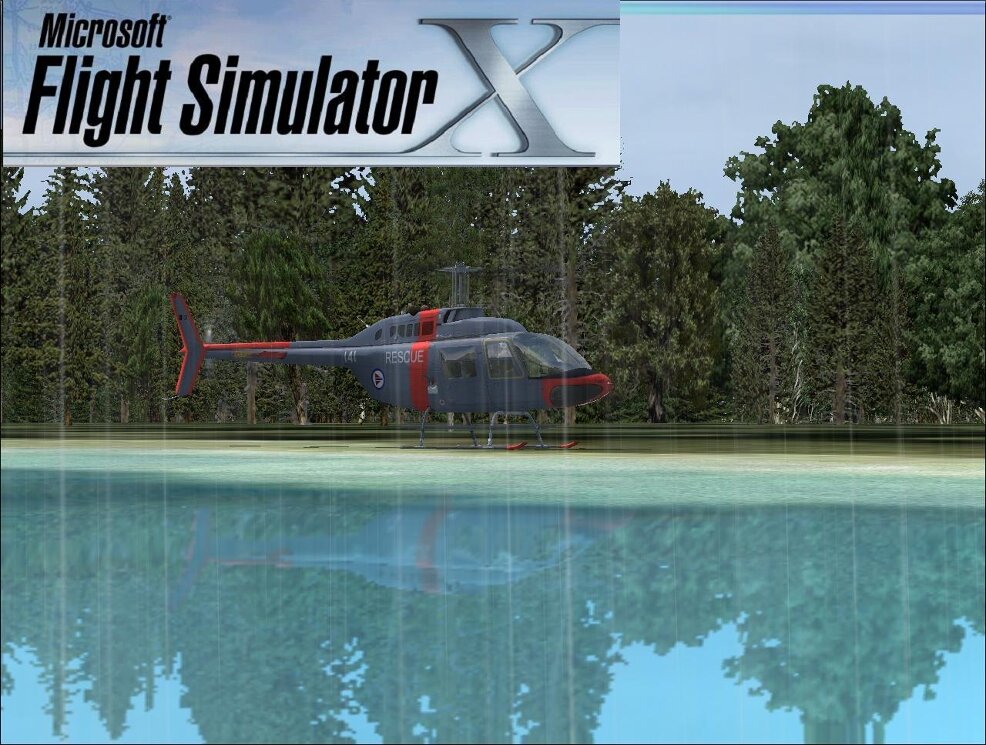
FLIGHT SIMULATOR 2004 (FS9) et FSX LAISSEZ LE REVE DEVENIR VIRTUEL

Fligth simulator vol virtuel et/ou réel :Laissez le rêve devenir virtuel...

31 janvier 2007

MIG29 fs9 avec FSX

Un peu de bidouille et ça marche 2007_1_31_7_14_37_9212007_1_31_7_24_45_2032007_1_31_7_16_18_7032007_1_31_7_12_48_8122007_1_31_7_24_5_156

Installer un avion dans FSX

Pour installer un avion dans FSX  ya deux méthodes,

soit créer  un
dossier "aircraft"  que tu places dans FSX  et tu y mets  tes avions. Il te
faut alors déclarer  en écriture  ce nouveau dossier dans FSX.cfg  en
rajoutant  le texte suivant:
tu cherches "SimObjectPaths"  tu vas trouver 5 lignes
tu en rajoutes UNe  en écrivant:
SimObjectPaths.6=Aircraft
Ton dossier "aircraft"   créé  dans FSX  sera  alors reconnu par FSX.
Tu peux maintenant comme avant  avec FSX  mettre  tes avions dans  ce
nouveau dossier "aircraft". ne fonctionne qu'une fois sur 2 (il manque toujour quelque chose)

2ème solution: plus  facile et  plus fiable
tu mets ton avion directement dans le dossier   dans "SimObjets"   de FSX
que tu ouvres pour trouver "airplanes" et là tu copies  ton dossier avion
venu de FS9

Mais quelle  que soit la solution adoptée  tu auras des déboires.. car FSX
ne reconnait  pas beaucoup de gauges venus  de FS9 ou FS98... que tu auras
transférées de FS9  à FSX .  FSX  n'aime que  les fichier "cab"..  Donc
beaucoup de gauges seront soit refusées  par FSX  soit acceptées
temporairement (il te le demande..) voire il plante...
Pour les textures  idem  , beaucoup  de textures avions  anciennes  sont
refusées,  de même  pour les vues..  alors c'est un peu galère.. faut
tatouiller,  certains avions passent bien d'autres  c'est impossible.

Posté par philou006 à 07:33 - Commentaires [0] - Rétroliens [0] - Permalien [#]

30 janvier 2007

F18 hornet sur fsx

2007_1_30_21_10_35_1402007_1_30_21_4_17_8752007_1_30_20_56_15_1092007_1_31_19_8_57_3122007_1_31_19_6_6_890

Posté par philou006 à 21:51 - Commentaires [0] - Rétroliens [0] - Permalien [#]

28 janvier 2007

AVIONS A TELECHARGER rappel

http://www.simviation.com/fs2004military58.htm

http://www.fsdome.com/aircraft.htm

http://www.fsplanet.com/airlines.htm

http://www.simviation.com/sitemap.html

http://www.worldoffs.com/download.php

Posté par philou006 à 19:12 - Commentaires [0] - Rétroliens [0] - Permalien [#]

25 janvier 2007

beech mentor de carenado sur FSX

2007_1_25_20_55_32_4372007_1_25_20_56_12_4212007_1_25_22_4_49_4212007_1_25_22_5_1_6872007_1_25_22_7_55_2652007_1_28_12_6_58_750

Posté par philou006 à 21:53 - Commentaires [0] - Rétroliens [0] - Permalien [#]

helico fsx

2007_1_25_20_53_18_5462007_1_25_20_50_43_2182007_1_25_20_50_14_546

2007_1_27_18_28_6_5312007_1_27_18_28_21_7812007_1_27_18_15_37_6872007_1_25_20_44_15_6402007_1_28_19_46_20_750

PETIT FILM

http://www.dailymotion.com/philou006/video/x1dlkh_erickson-s64e-aircrane

Posté par philou006 à 21:50 - Commentaires [0] - Rétroliens [0] - Permalien [#]

23 janvier 2007

instalation du PMDG 1900D dans FSX

instalation du PMDG 1900D dans FSX

Starting with a fresh install of the 1900D into FS9 (no liveries):

1. Copy the following full folder (this assumes you are in C:\Program
Files\Microsoft Games or wherever you have your FS9 and FSX install
folders)
Flight Simulator 9\Aircraft\PMDG EXPRESS B1900D
to
Microsoft Flight Simulator X\SimObjects\Airplanes

2. Copy the following files from the folder

Flight Simulator 9\Effects

fx_beacon_pmdg_b1900.fx
fx_navgre_pmdg1900.fx
fx_navred_pmdg1900.fx
fx_pmdglogo1900.fx
fx_strobe_pmdg1900.fx
fx_strobe_pmdgB1900.fx
to Microsoft Flight Simulator X\Effects

3. Copy these files from Flight Simulator 9\Gauges\
PMDG_B1900_AP_FACE.gau
PMDG_B1900_BEACON_LITE.gau
PMDG_B1900_FLAP_GAUGE.gau
PMDG_B1900_ICE_LITE.gau
PMDG_B1900_L_FUEL.gau
PMDG_B1900_LAND_LITE.gau
PMDG_B1900_LOGO_LITE.gau
PMDG_B1900_NAV_LITE.gau
PMDG_B1900_PANEL_LITE.gau
PMDG_B1900_R_FUEL.gau
PMDG_B1900_RECOG_LITE.gau
PMDG_B1900_STROBE.LITE.gau
PMDG_B1900_TAXI_LITE.gau
to
Microsoft Flight Simulator X\Gauges

4. Open up the aircraft.cfg file in the PMDG EXPRESS B1900D folder within
Microsoft Flight Simulator X\SimObjects\Airplanes

Find the [fltsim.0] [fltsim.1] and [fltsim.2] sections at the top of the
file. Within each is a line that reads:

ui_manufacturer=Beechcraft-PMDG Express


Copy the three lines below and paste them over top of the above line in
each fltsim section, overwriting it.

ui_manufacturer=Beechcraft
ui_typerole="Twin Engine TurboProp"
ui_createdby="PMDG"

5. Start FSX and select one of the 1900D variants ? the sim will give you a
warning or series of warnings about unsigned gauges/modules ? just click
through it and tell it not to warn you again.

6. BON VOL

ET TOUT FONCTIONNE 

Posté par philou006 à 18:55 - Commentaires [0] - Rétroliens [0] - Permalien [#]

22 janvier 2007

1900D PMDG SUR FSX

2007_1_22_21_1_52_3752007_1_22_21_0_6_734

2007_1_22_21_4_54_0

POUR UN BON FONCTIONNEMENT VOIR

2007_1_22_21_3_24_437

23 janvier 2007

instalation du PMDG 1900D dans FSX

Posté par philou006 à 22:06 - Commentaires [0] - Rétroliens [0] - Permalien [#]

13 janvier 2007

TripleHead2Go= FSX 3 ECRANS

2007_1_14_18_49_29_562j'ai reçu mon  TripleHead2Go 2007_1_13_15_7_6_7182007_1_13_15_9_20_9682007_1_13_15_9_57_2342007_1_13_15_48_34_468

jeux compatibles http://www.matrox.com/graphics/jp/gxm/products/th2go/gaming/list.php

Mise en oeuvre facile  mais pour FXS il faut prendre que mise a jour du Surround Gaming™ Utility

sur  http://www.matrox.com/graphics/en/gxm/support/th2go/sgu.php

propri_t__affichage

Quelques vues

2007_1_13_18_23_21_406

interieur cuir ...

2007_1_13_18_23_41_500

2007_1_13_18_23_1_31

Passons chez AIRBUS

Tableau de bord

2007_1_13_19_6_24_218

presque taille reelle

2007_1_13_19_3_4_781

En réel cela donne ça : 2 X 17'' et 1 X 19" au centre  c'est pas le top mais ca passe quand meme trés bien .

VUE INTERNE

matrox

Photo012Photo017VUE EXTRENE DE L'avion

Bon c'est un peu le bronx sur mon bureau ....... mais je vais y remedier !!!!

2007_1_14_18_46_9_9842007_1_14_18_49_22_921

2007_1_14_18_49_34_781

Posté par philou006 à 17:42 - Commentaires [0] - Rétroliens [0] - Permalien [#]

12 janvier 2007

FSX avec 2 ECRANS

2007_1_12_17_44_57_312007_1_12_17_45_18_296

Très simple a mettre en oeuvreapp

Posté par philou006 à 17:56 - Commentaires [0] - Rétroliens [0] - Permalien [#]

addon mission FSX

2007_1_9_18_49_9_203

2007_1_9_18_45_13_312007_1_11_18_44_30_462007_1_11_18_46_12_312007_1_11_18_47_7_500

Posté par philou006 à 07:32 - Commentaires [0] - Rétroliens [0] - Permalien [#]


« Accueil  1  2   Page suivante »